100% Local-First · Zero Telemetry · MIT Open Source

The Open Source, Local-First AI Agent IDE

Build software with autonomous subagent trees that edit code, execute terminal tasks, and test browsers natively on your machine. No accounts, no cloud telemetry, and 100% offline capable with Ollama.

Available for Windows, macOS (Universal), and Linux. View all installer packages.

Zero Cloud Telemetry
Tauri 2.0 & Rust Core
Model Context Protocol (MCP)
AES-256 Key Encryption
100% Offline Ollama Capable
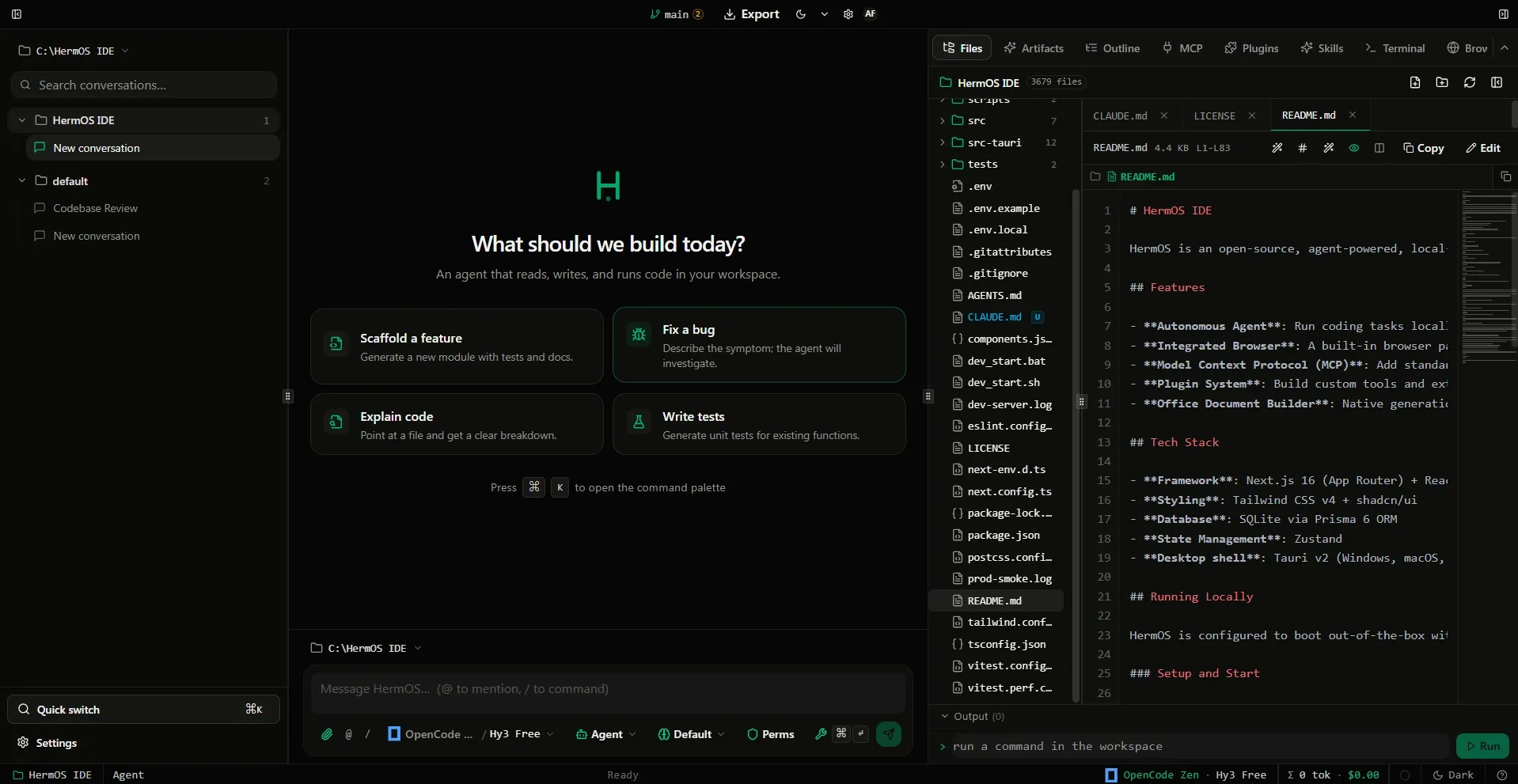
hermos-ide — main workspace & code editor
HermOS Main Workspace Interface
Click to expand
Architectural Comparison

Why Developers Choose HermOS over Cloud AI Editors

Full autonomy, zero telemetry, and true local ownership. Compare HermOS directly against closed alternatives.

Feature / Capability HermOS IDE Cursor Windsurf GitHub Copilot
Code Privacy & Telemetry ✓ 0 Bytes Telemetry Cloud Logging (Opt-out) Remote Telemetry Cloud Proxied
Pricing & Subscriptions ✓ 100% Free (MIT) $20 / month $20 / month $10 - $19 / mo
Offline & Air-Gapped Inference ✓ Native Ollama / vLLM ✕ Internet Required ✕ Internet Required ✕ Internet Required
Autonomous Subagent Trees ✓ Native Multi-Worker Forks Single Session Single Agent Flow ✕ Inline Chat Only
API Key Storage Security ✓ Local AES-256-GCM Cloud Account Auth Cloud Account Auth Cloud Subscription
Model Context Protocol (MCP) ✓ Full Native Client Supported Limited ✕ Proprietary Tools
Open Source License ✓ MIT License (Full Access) ✕ Closed Source ✕ Closed Source ✕ Closed Source
Engineered For Autonomy

Autonomous capabilities that run on your machine

Everything runs as native child processes on your workstation with zero telemetry and full sandboxing.

01 / AUTONOMOUS WORKERS

Subagent tree orchestration for parallel missions

When tackling complex refactors or multi-file features, HermOS decomposes the problem and forks background subagents. One agent investigates schemas while another writes unit tests and verifies fixes concurrently.

Subagent Trees Independent forks
MCP Tool integration
Headless Browser Live DOM testing
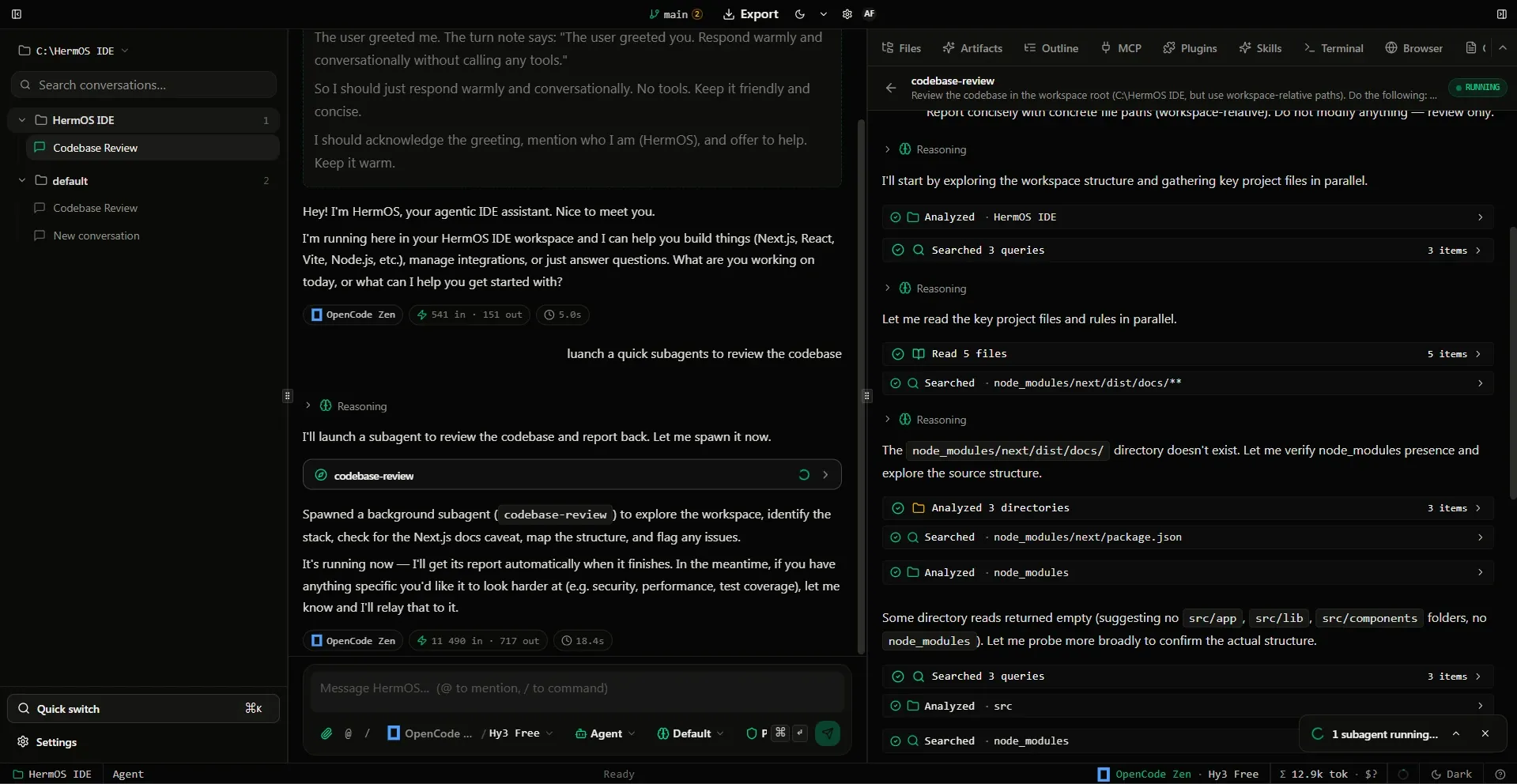
HermOS Autonomous Agent and Subagent reasoning view
02 / LOCAL TELEMETRY

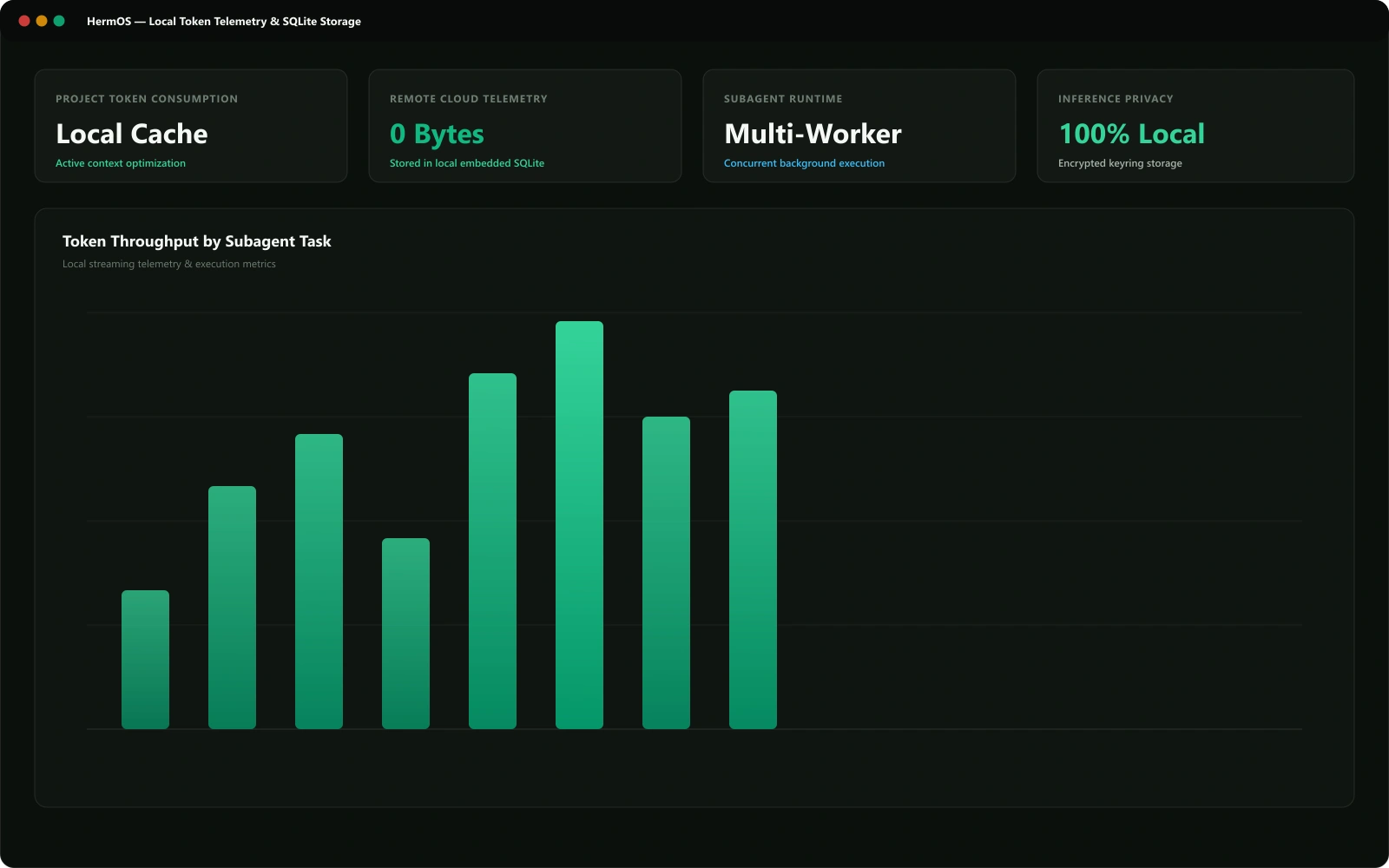
Real-time token analytics stored in local SQLite

Monitor token consumption, prompt cache hit ratios, and model execution latency without a single byte of telemetry leaving your computer. All metrics are rendered directly from your workstation's embedded SQLite database.

0 Bytes Cloud Zero telemetry
SQLite Embedded Local analytics
Cache Radar Latency metrics
HermOS Local Token Usage Radar and analytics
03 / ATOMIC CHECKPOINTS

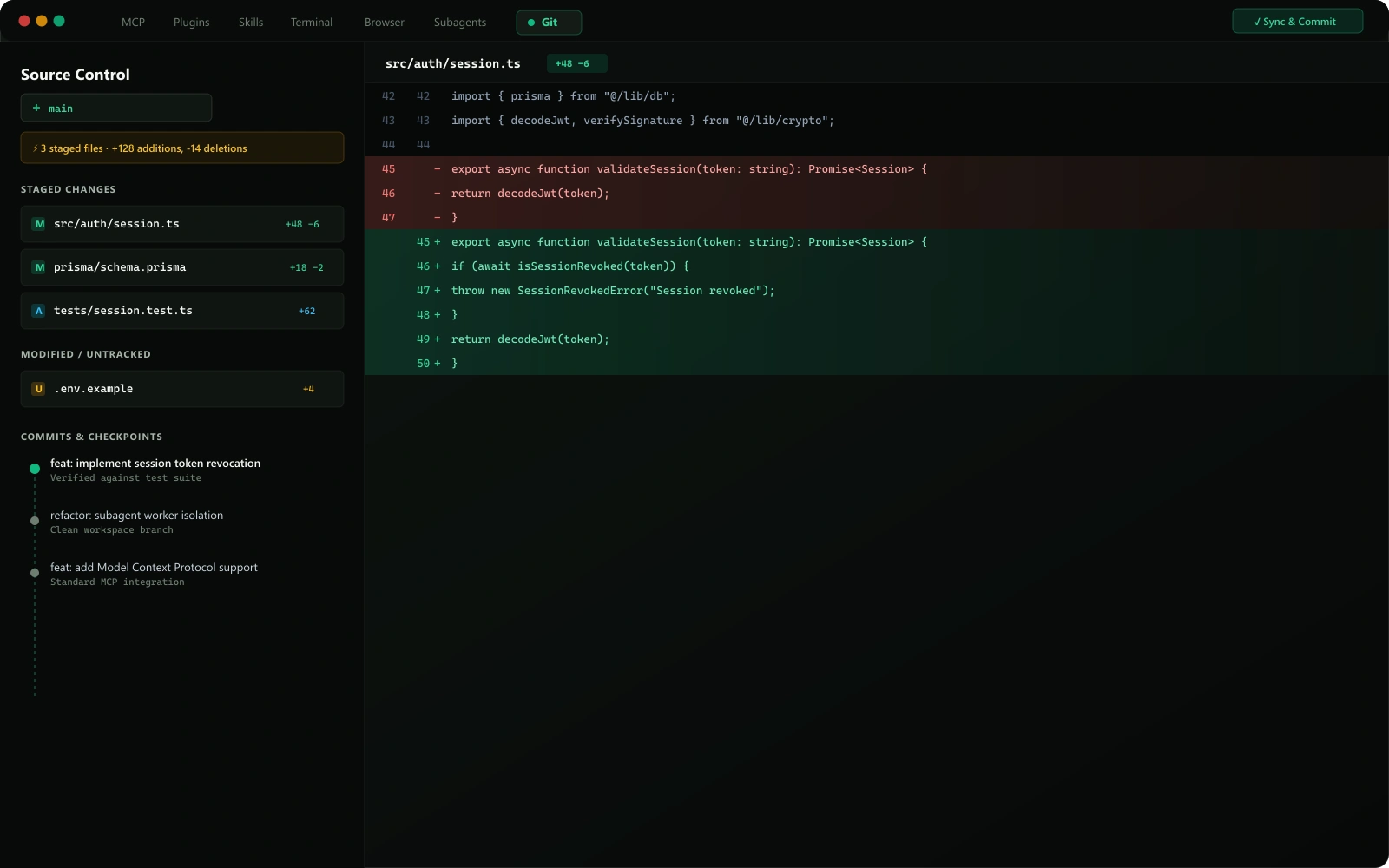
Line-by-line visual diffs with 1-click rollback

Inspect every change proposed by an agent before it commits. Review visual split diffs, staging states, branch trees, and roll back atomic checkpoints seamlessly.

Visual Diffs Syntax highlighted
Checkpoints Instant undo
Native Git Direct repository sync
HermOS Git Diff Panel and branch checkpoint manager
Universal BYOK & Inference Matrix

Connect Any Foundation Model or Local Offline Engine

Zero vendor markup. Bring your own keys or run 100% offline and air-gapped on your local hardware.

Local Offline Inference (Ollama / vLLM / SGLang)

Air-gapped local inference. Zero API costs, zero internet required.

Endpoint: http://127.0.0.1:11434/v1 Zero Cloud Telemetry
Supported Model Architecture
qwen2.5-coder Code AST & Refactoring Specialist
deepseek-r1 Chain-of-Thought Reasoning
llama-3.3 Autonomous Task Planning
Key Security & Privacy

No API key required. HermOS connects directly to localhost port 11434 with zero external telemetry or cloud mediation.

✓ Client-Side AES-256-GCM Encrypted Key Storage
Native Desktop Installers

Download HermOS Free

Runs natively on Windows, macOS, and Linux with no account required.

Windows

Windows 10 / 11 · 64-bit .exe & .msi

macOS

Apple Silicon & Intel · Universal .dmg

Download .dmg

Linux

Ubuntu / Debian / Fedora · .deb & AppImage

Download .deb
View all release packages, SHA-256 checksums & changelogs →
RUN FROM SOURCE (NODE / GIT) DEV SETUP
$git clone https://github.com/WFekik/HermOS-IDE.git && cd HermOS-IDE && npm install && npm run tauri dev
Questions & Answers

Frequently Asked Questions

Everything you need to know about privacy, local models, and open source licensing.

Is HermOS really 100% free and open source? +
Yes. HermOS is MIT-licensed open source software with no subscriptions, paywalls, or gated "Pro" tiers. All code is public on GitHub. You can inspect the source, audit the security model, and build it locally.
How does HermOS protect my code and privacy? +
HermOS operates with zero telemetry and has no login servers. AI requests route directly from your workstation to your chosen model provider via direct HTTPS using your local API key. Your code never passes through intermediate servers.
Can I use local LLMs like Ollama without an internet connection? +
Yes. HermOS natively connects to local inference runtimes including Ollama, vLLM, and LM Studio. When paired with local models (e.g. Qwen 2.5 Coder, DeepSeek R1, Llama 3.3), HermOS functions 100% offline and air-gapped with zero internet connectivity required.
How are API keys secured on my workstation? +
API keys are encrypted locally with AES-256-GCM. The encryption key is generated per install on your machine and never leaves your device. They are decrypted in memory only when issuing direct requests to model APIs.
How do autonomous subagents work in HermOS? +
HermOS can spawn background worker subagents that operate concurrently across different task domains. Subagents run in isolated workspace worktrees, allowing them to research codebases, run unit tests, and inspect browser DOM nodes without blocking your active editor.
Where can I report bugs or suggest features? +
HermOS is developed in the open. Bug reports and feature requests go to GitHub Issues, and architectural discussions happen in GitHub Discussions.